🎉 AutoBoot v0.2.0-beta is now officially available for Windows & Linux! Download now →
AutoBoot v0.2.0-beta
↓ Download
PUBLIC BETA RELEASE · V0.2.0-BETA

AutoBoot
Zero-Touch OS Deployment

„Don't worry. I'll figure it out for you.“
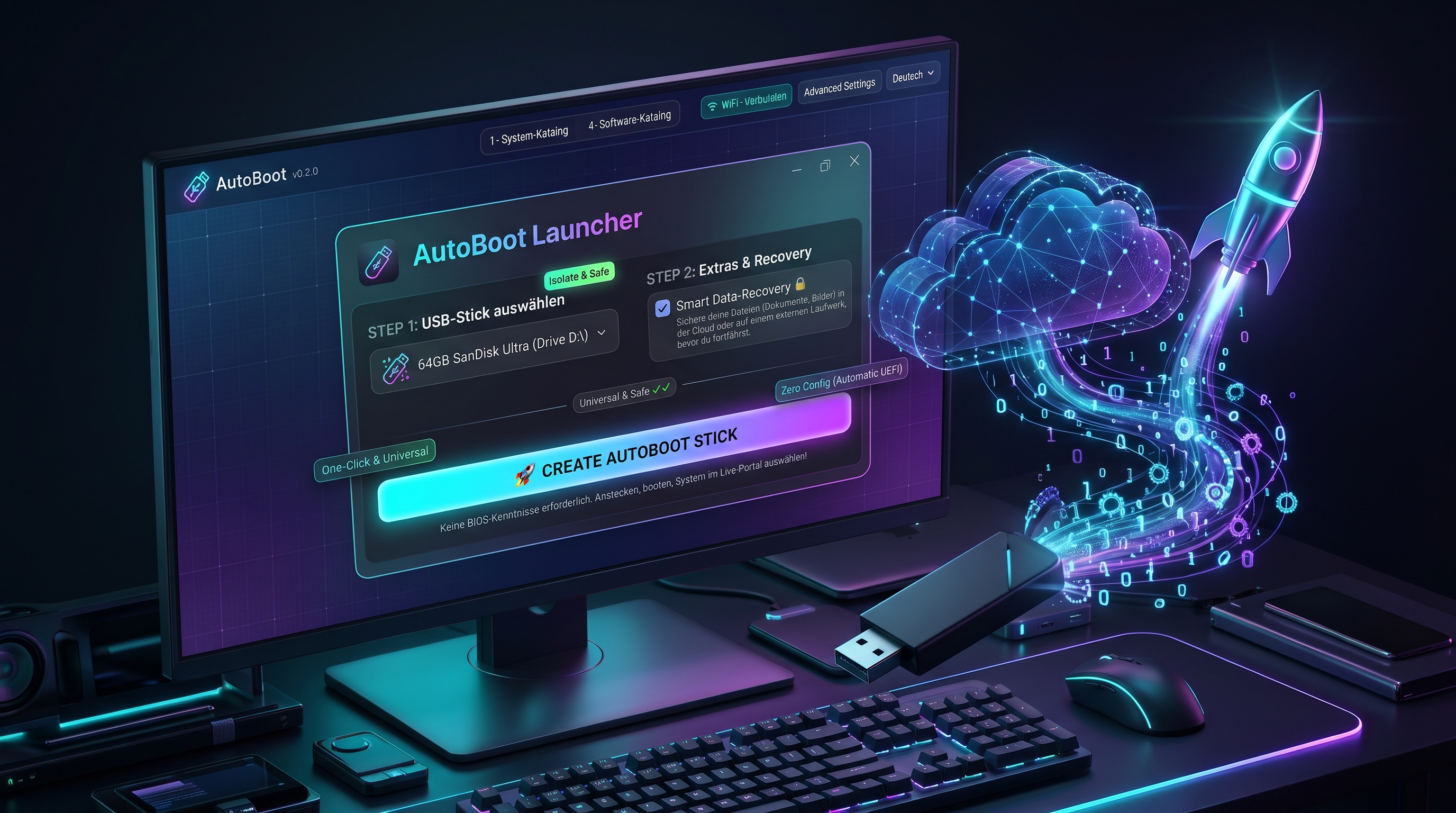
✓ Free & No ISO Pre-Download ✓ UEFI BootNext Automation ✓ Live OS & App Catalog
AutoBoot Launcher v0.2.0-beta Preview
AutoBoot Launcher v0.2.0-beta 🔍 Vergrößern
Official Release · v0.2.0-beta

Download the AutoBoot Launcher

It turns a USB stick into an AutoBoot stick — in under two minutes, on Windows or on Linux.

Windows

Windows 10 / 11 · x86_64
v0.2.0-beta
  • A single .exe — nothing to install
  • Finds your stick and leaves internal disks alone
  • Restarts straight into it, without a BIOS key
↓ AutoBoot-Launcher.exe

Linux

Ubuntu, Fedora, Zorin OS, Arch, SteamOS
v0.2.0-beta

Pick the package your system uses:

  • Flatpak — Zorin OS, Ubuntu 24.04, alles mit Flatpak
  • .deb — Debian, Ubuntu bis 23.10
  • .rpm — Fedora, openSUSE, RHEL
  • .tar.gz — alles andere
↓ autoboot-launcher.flatpak

All files and checksums →

Windows will warn you about this file
The launcher is not signed yet — a certificate costs money a beta has not earned. Windows therefore shows “Windows protected your PC”. Click More info, then Run anyway. You can check the file yourself first: compare its checksum with the list linked above.
Architecture & Core

What AutoBoot does

One stick, one click — and the machine sets itself up. No questions, no driver hunting, no staring at a progress bar. AutoBoot is free.

Windows or Linux, fully automatic

Pick an operating system, skip the rest. AutoBoot handles partitions, drivers and the user account by itself — all the way to a finished desktop, without anyone sitting next to it.

Always the current release

The image is fetched from the vendor during installation, not from an old copy on the stick. No stale Windows, no hundred updates afterwards.

Wi-Fi via your phone

No cable at hand? AutoBoot shows a QR code. Scan it, send the credentials, done — without typing a password on the target machine.

Play while it installs

An installation takes time. Instead of watching: browser, streaming and cloud gaming keep running alongside — on the very machine that is setting itself up.

Speaks your language

AutoBoot detects language, keyboard layout and time zone from your location and sets them correctly in the new system. All of it stays changeable.

Software right away

Browser, archiver, media player: whatever belongs on every new machine is installed along with it on request — picked from a list instead of hunted down one by one.

Interface & Experience

Interface Preview

Vom minimalistischen 2-Klick USB-Creator bis zum hardwarebeschleunigten Live-Portal.

Windows .exe & Linux Flatpak
AutoBoot Creator

AutoBoot Creator

Stick wählen, USB-Laufwerke sicher isolieren und per UEFI BootNext direkt neu starten.
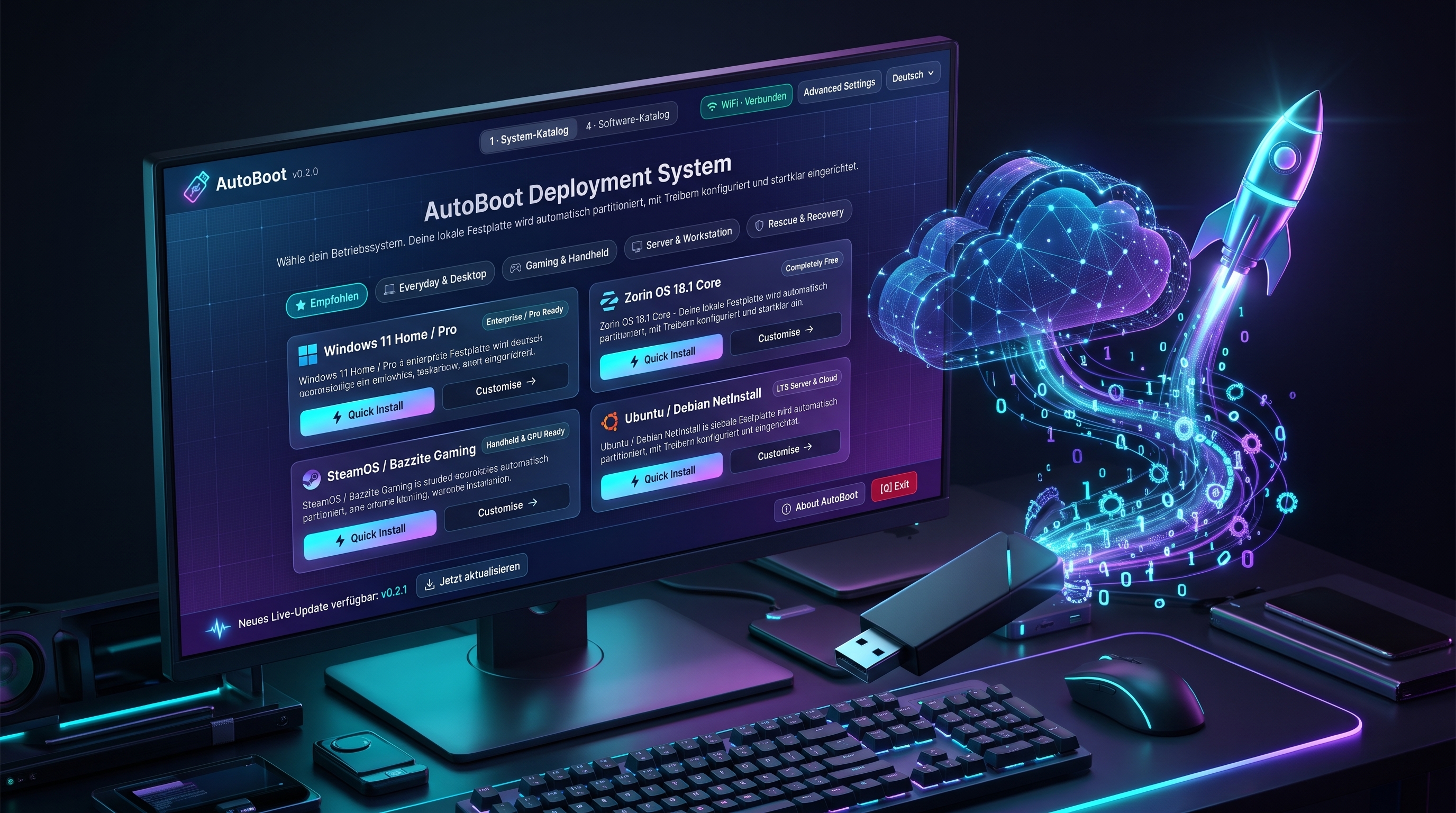
Live Kiosk · System-Katalog
Enterprise UI

Enterprise UI

Windows 11, Zorin OS, SteamOS oder Rescue-Umgebungen werden live aus dem Netz geladen und konfiguriert.
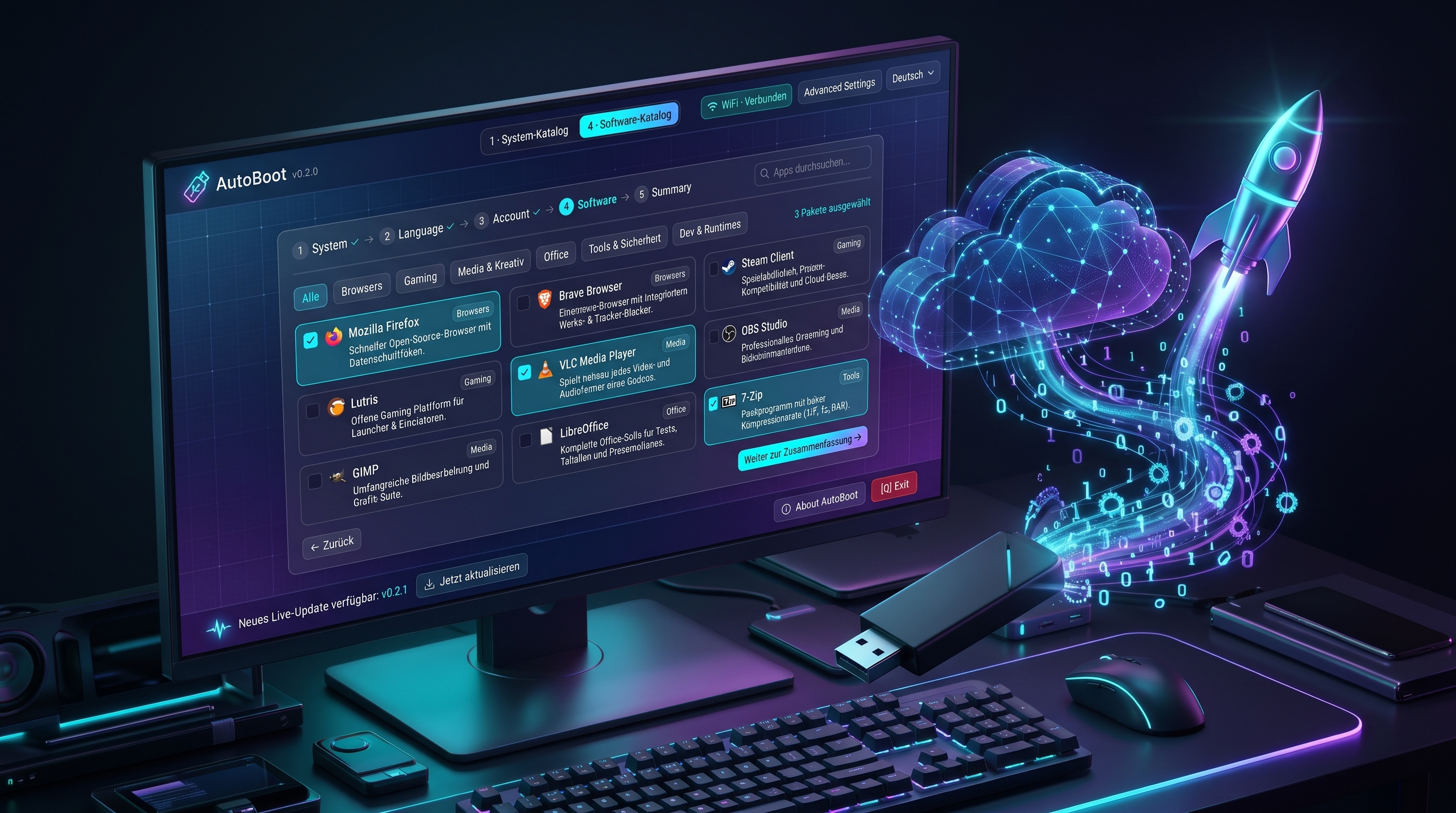
Live Kiosk · App-Katalog
AutoBoot Software-Katalog

Integrierter Software-Katalog

Browser, Gaming-Launcher, Media-Tools und Entwickler-Pakete sind beim ersten Systemstart bereits eingerichtet.

Development Milestones

Mission Roadmap

Transparente Entwicklung vom aktuellen Public-Beta-Release bis zu kommenden Recovery- und Firmware-Funktionen.

Phase 1 — current ✓ Released (v0.2.0-beta)

Core Beta

The native USB creator is in place. Stable, fast zero-touch deployment for Windows and Linux.

Phase 2 ⚡ In Development

Magic Setup

Phone-to-PC pairing. Zero-touch Wi-Fi handover through the camera, with no tedious password entry.

Phase 3 ✦ Future Vision

Enterprise Web API

The B2B infrastructure. A cloud dashboard for system integrators to manage many machines.

Technical Guides

Documentation

Installation per Windows-Launcher oder Linux-Flatpak, UEFI-Automatisierung sowie ein Ausblick auf geplante Funktionen.

Installation & Start in 3 Schritten

Der AutoBoot Launcher (v0.2.0-beta) benötigt keine manuellen ISO-Downloads im Vorfeld. Die Installation auf deinem System erfolgt wahlweise über die native Windows .exe oder als Flatpak unter Linux.

  1. Launcher installieren & starten: Unter Windows einfach die AutoBoot-Launcher.exe ausführen – unter Linux das Flatpak-Paket installieren.
  2. USB-Stick vorbereiten: Mindestens 8 GB Speicherplatz (USB 3.0+ empfohlen) anschließen, Stick auswählen und auf Create AutoBoot Stick klicken. Interne Laufwerke werden automatisch isoliert.
  3. Automatischer Neustart: AutoBoot setzt die einmalige UEFI-Variable BootNext – keine F12/Del-Tasten im BIOS nötig.
flatpak install --user net.autoboot.Launcher.flatpak && flatpak run net.autoboot.Launcher

Smart Data-Recovery vor der Neuinstallation

Geplant · Noch nicht implementiert

Dieses Modul befindet sich aktuell in der Konzeptions- und Entwicklungsphase und ist in v0.2.0-beta noch nicht enthalten.

  • Geplanter Scan: Vor dem Formatieren bestehender Partitionen soll die Live-Umgebung vorhandene Windows- und Linux-Installationen nach persönlichen Ordnern (Dokumente, Bilder, Desktop, SSH-Keys) durchsuchen.
  • Geplantes Backup-Ziel: Sicherung auf ein zweites externes USB-Laufwerk, ein lokales NAS (SMB/NFS) oder verschlüsselten Cloud-Speicher mit anschließender automatischer Rücksicherung.
Aktueller Hinweis: Solange Smart Data-Recovery noch nicht freigeschaltet ist, sichere deine wichtigen Dateien vor einer OS-Neuinstallation bitte noch manuell auf ein externes Laufwerk.

UEFI-Automatisierung & Hardware-Kompatibilität

AutoBoot setzt auf einen signierten Linux-Live-Kernel mit breiter Netzwerktreiber-Unterstützung (Intel, Realtek, Broadcom, Wi-Fi 6/6E/7 sowie Steam Deck & Handheld-Controller).

  • BootNext-Mechanismus (Aktiv): Ändert die dauerhafte Boot-Reihenfolge im BIOS nicht, sondern bootet exakt einmalig vom USB-Stick.
  • Windows 11 Requirements (Aktiv): Erkennt TPM 2.0 und Secure Boot automatisch und bietet im Advanced-Menü optionale Kompatibilitäts-Profile.
  • Katalog-Live-Updates (Aktiv): Neue OS- und Software-Kataloge werden beim Start über autoboot.net nachgeladen, ohne den Stick neu zu flashen.
  • Firmware- & BIOS-Updates (Geplant): Eine automatisierte Integration von Hersteller-Firmware-Updates (über LVFS / fwupd) direkt aus der Live-Umgebung ist für eine spätere Version geplant, derzeit aber noch nicht implementiert.

Eigene Deployment-Profile & Systemhaus-Integration

Zukunftsmusik · Langfristige Vision

Dieses Feature ist derzeit noch reine Zukunftsmusik und steht auf der langfristigen Roadmap, nachdem der Core-Installer, Smart Data-Recovery und Firmware-Updates abgeschlossen sind.

Langfristig soll es IT-Administratoren, Systemhäusern und Power-Usern ermöglichen, eigene Installationen inklusive Software-Auswahl, WLAN-Profilen und Post-Install-Skripten über eine deklarative autoboot.json auf dem Stick zu automatisieren.

Fokus aktuell: Zuerst liegt der Schwerpunkt vollständig auf einem reibungslosen Single-Device-Erlebnis für Endanwender über den Windows-Launcher und das Linux-Flatpak.

Sign up to be among the first to get beta access at launch.

Erhalte Benachrichtigungen bei neuen Beta-Releases, Treiber-Updates und der Freischaltung von Smart Data-Recovery.

You're on the list!

We'll be in touch as soon as the beta starts.